


HD Video Downloader App - 2022
4.62.98K Reviews
App Specs
- Version
- 1.3.9
- Updated On
- License
- Free
- Downloads
- 100,000,000+
- Developer
- Leap Fitness Group
- Categories
- Video Players & Editors
- Platform
- Android
Screenshots
 Analysis by AppCompare
I like video downloaders most when they solve a small, specific problem without turning saving a clip into a project. HD Video Downloader App is aimed at that practical job: keeping online videos available for later, rather than replacing a full media library or editing suite. Its appeal is straightforward, but the real question is whether its link-based approach fits the way you browse and watch. In my view, it can be useful for occasional offline viewing, provided you are comfortable checking that a particular source allows downloads.
When saving a clip makes everyday sense
Picture finding a cooking demonstration while you are on a stable connection at home, then wanting to follow it later in a kitchen with unreliable reception. Saving it beforehand can spare you buffering and repeated searches. The same logic works for a travel clip you want to revisit on a commute, or a reference video you need to consult while preparing something offline. This is where a dedicated downloader is more useful than simply bookmarking a page: a bookmark still depends on the source being reachable and the clip remaining available.
I would treat it as a tool for personal, practical viewing, not as a way to collect everything that catches my eye. A short list of useful downloads is easier to manage than a crowded folder of clips whose context has been forgotten. Before saving anything, I would also check the creator’s terms and the platform’s rules. Being able to save a video technically does not automatically mean that redistributing it or using it outside its intended context is acceptable.
What the link-first approach changes
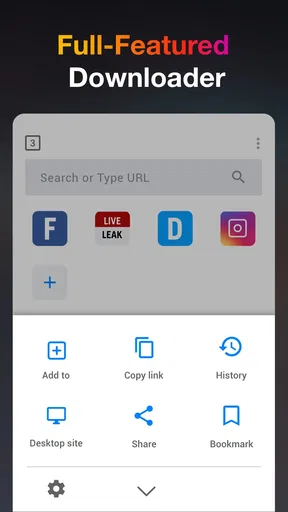
The app’s basic workflow is easy to understand: find a video, provide its link, and choose a download option. Its built-in browser can make that sequence feel less fiddly than copying a link, switching apps, and pasting it into a separate downloader. That convenience matters most when you are saving one clip in the moment. If you already organize everything through a browser’s bookmarks or a platform’s own offline feature, the extra step of using another app may feel unnecessary.
A useful habit is to decide what you want from a clip before downloading it. If you only need to check a recipe step or remember a visual reference, a lower-resolution copy may be enough and can be kinder to device storage. If fine details matter, a higher-resolution choice makes more sense, but it will generally take more room. I would not automatically select the highest quality for every item; matching quality to purpose keeps a handful of downloads from becoming a storage problem.
How it fits beside other ways to watch
Compared with streaming, downloading trades some immediacy for more control over when you watch. Streaming is usually simpler when you have reliable internet and want to leave no extra files on your device. A platform’s own offline-viewing option is often the more suitable choice when available, especially if it preserves the creator’s intended access controls. A general downloader has a different role: it may be convenient for sources and clips that can be saved through its workflow, but it should not be treated as a universal key for every video service.
It also differs from a media player, which mainly organizes and plays files you already have, and from a video editor, which changes footage rather than fetching it. That narrow focus is a strength if your need is simply to keep a permitted clip for later. It is a poor fit if you want to trim footage, add captions, build a polished collection, or sync a library between devices. For those jobs, a dedicated editor, file manager, or the original platform’s own tools are more appropriate.
Worth Reading Before You Choose

Baby Panda World Brings Quick Play to Modern Phones, but Its Game Library Feels Busy

ESPN’s Live Game View Makes Following Close Games Easier

QuizzLand Review: A Good Fit for Short Trivia Breaks, Not Every Player

Basketball Stars: Multiplayer Is Fast, but Can It Recover When Matches Go Wrong?

WEBTOON Turns Phone Updates Into a Better Reading Routine

Link to Windows Runs on Shared Habits, Not Social Feeds
Small choices that make downloads easier to manage
For a practical workflow, I would save only clips I expect to use, give them recognizable names if the app allows it, and remove them when they are no longer useful. That approach is especially helpful for long videos: keeping a temporary reference clip is sensible, but leaving it among permanent files makes it harder to find the things you actually want. I would also check available storage before starting a batch, rather than discovering halfway through that several large files have crowded out photos or other downloads.
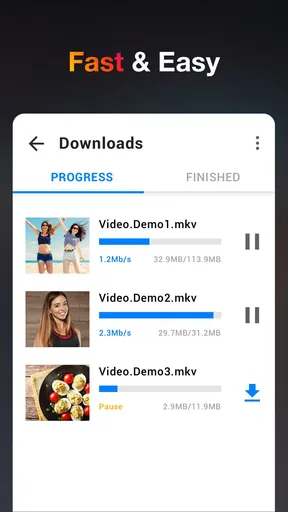
Queueing several downloads can save repeated effort when you already have a few links ready, but it is not automatically the best choice on every connection. If a connection is unstable, starting with one video lets you see whether that source works before committing time to a longer queue. Likewise, a progress indicator is useful for judging whether a download is moving, but it cannot guarantee that every source will respond consistently. When a link fails, I would first revisit the source and confirm the video is still accessible, then try again instead of repeatedly tapping download.
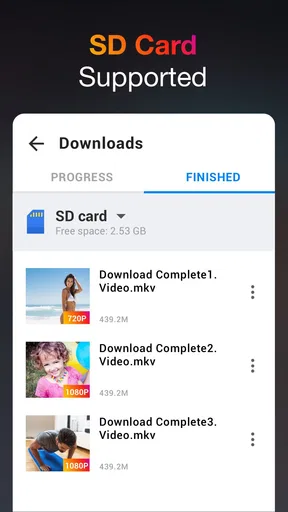
Questions about where a saved clip can be watched are worth considering before you begin. The point of downloading is offline access, but the exact location and playback experience depend on how the app handles saved files and on the device. I would check the app’s own download area after the first save, play that clip once, and confirm it works without a connection before relying on it for a trip. That simple test avoids finding out at the wrong moment that a particular source or file did not behave as expected.
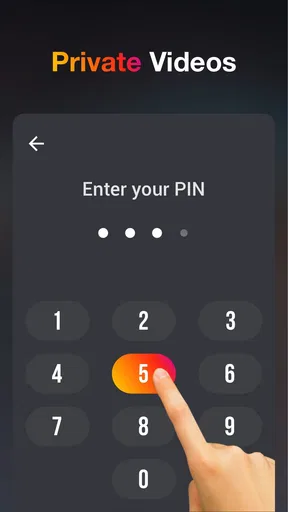
It is also sensible to think about ownership and privacy in everyday terms. A downloaded video becomes another file on your device, so anyone with access to the device may be able to see it depending on how it is stored. I would avoid saving sensitive material on a shared device and would not assume that a downloader makes a clip private. For ordinary public videos, the main benefit is convenience; for private or restricted content, use the source’s intended access methods instead.
Getting Started with HD Video Downloader
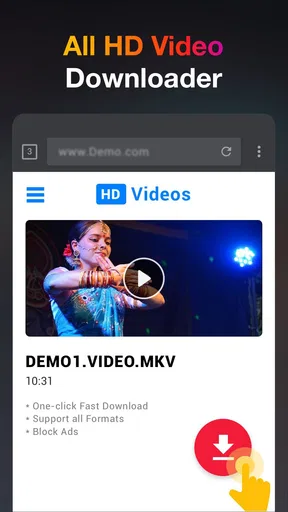
First things first, installation is a breeze. A quick download from the Play Store or App Store, and you're ready to roll. The app's interface is straightforward, which is a big win for those of us who aren't tech wizards. It’s like the app speaks your language, guiding you effortlessly through the process. Just plug in the link of the video you want, and boom, you’re on your way to video-saving glory.
User Experience and Design
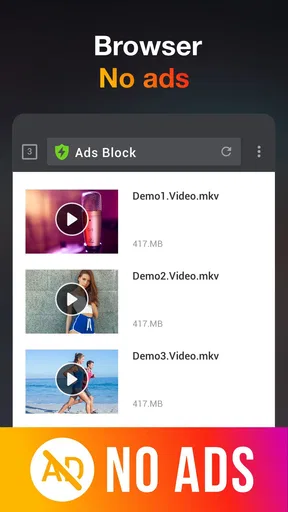
Let’s talk design. The developers have kept things minimalistic, sticking to a clean layout that doesn’t overwhelm with unnecessary buttons or ads. This means you can focus on the task at hand – downloading those glorious HD videos. The app's navigation is intuitive, with everything you need just a tap away.
One thing I really appreciated was the built-in browser. It feels like a mini version of Chrome, allowing you to navigate directly to the video source. This cuts down the hassle of juggling between multiple apps. It's streamlined, efficient, and just makes life easier.
Performance and Features
Performance-wise, the HD Video Downloader App is a powerhouse. Videos download swiftly, and there's a handy progress bar to keep you in the loop. No more guessing games about how long you’ll be waiting. Plus, the app supports multiple downloads at once, so you can queue up a few videos and watch them roll in.
Now, let’s talk formats. This app is a savior for those picky about video quality. You can choose from various resolutions, ensuring your downloads are crystal clear. Whether you’re saving a quick meme or a lengthy documentary, there’s an option that fits the bill.
Compatibility and Versatility
Compatibility is another strong suit. The app works seamlessly across both Android and iOS, which is great if you’re like me and switch devices more often than you change your socks. It handles a wide range of video platforms, from the big players to niche sites, so you’re not limited in your downloading adventures.
Another neat feature is the option to extract audio from videos. This is perfect for when you stumble upon a great track and want it for your playlist. The app saves it directly as an MP3, ready for your listening pleasure.
Security and Privacy
In today’s digital age, security is paramount. Rest assured, the app has your back. It doesn’t ask for unnecessary permissions, keeping your data safe and sound. Plus, the developers have included regular updates to patch any vulnerabilities, which is always reassuring.
What’s more, the app doesn’t store your download history, so your video-saving habits remain private. It’s nice to know that your information isn’t being logged or shared.
Price, support and fit
HD Video Downloader App - 2022 is free to install, with optional in-app purchases listed at $3.99 per item. That makes it easy to try without paying upfront, though I would check what an optional purchase changes before deciding it is worthwhile. The app is from Leap Fitness Group, has an Everyone age rating, and is listed at version 1.3.9 for Android 6.0 and up. It sits in the video-player and editing space, though its purpose is much narrower than an editor: downloading and handling video is the main attraction.
Its reach is substantial: it has passed 100 million installs, with an average rating of 4.6 from around 354,000 ratings and roughly 3,000 written reviews. Those figures suggest it has found a broad audience, but they do not remove the need to test your own sources. A downloader’s usefulness depends on the videos you try to save, so I would start with one harmless, permitted clip rather than assuming every platform will behave the same way.
The app was released on March 29, 2019, and the best-fit user is someone who wants an uncomplicated way to keep occasional videos for offline viewing. I would recommend it to a friend who regularly has a specific clip in mind and prefers a direct download workflow over bookmarks. I would steer a heavy curator toward a proper media library, and anyone whose priority is guaranteed offline access to subscription content toward the relevant platform’s own feature. Those choices are less about the app being bad and more about using the right tool for the job.
Final Thoughts
All in all, the HD Video Downloader App - 2022 is a handy tool that delivers exactly what it promises. It’s efficient, user-friendly, and packed with features that cater to video enthusiasts like us. Whether you’re saving videos for offline viewing or extracting audio for personal use, this app gets the job done without breaking a sweat.
So, if you’re in the market for a reliable video downloader that won’t let you down, give this one a whirl. It’s a small investment of space on your device for a big payoff in convenience. Happy downloading!
Pros
- Fast download speeds for large files.
- Supports multiple video formats effortlessly.
- User-friendly interface simplifies use.
- Integrated browser for easy video access.
- Background downloading saves time.
Cons
- Contains ads that can be intrusive.
- Limited features in the free version.
- Compatibility issues with some devices.
- Occasional crashes during downloads.
- No in-app video editing options.
FAQs for HD Video Downloader App - 2022
What are the main features of the HD Video Downloader App - 2022?
The HD Video Downloader App - 2022 offers a range of features, including the ability to download videos in high-definition from various platforms, batch download functionalities, and support for multiple formats. It also boasts a user-friendly interface and fast download speeds, making it a convenient choice for users who frequently download content.
Is the HD Video Downloader App - 2022 free to use, or does it require a subscription?
The app offers a free version with basic functionalities and limited download capabilities. However, to access premium features such as ad-free use, faster downloads, and additional format support, users may need to purchase a subscription. Details on pricing can be found within the app or on the official website.
Is the HD Video Downloader App - 2022 compatible with all Android and iOS devices?
The app is designed to work on most Android and iOS devices running newer versions of the operating systems. However, compatibility can vary based on the specific device model and OS version. It's recommended to check the app store listing for device compatibility before downloading.
How secure is the HD Video Downloader App - 2022 in terms of user data and privacy?
The app prioritizes user privacy and employs encryption to protect data during downloads. It also adheres to strict privacy policies, ensuring that user information is not shared with third parties. Users are encouraged to read the privacy policy for more detailed information on data handling practices.
Can the HD Video Downloader App - 2022 download videos from all websites?
While the HD Video Downloader App - 2022 supports a wide range of popular video platforms, it may not be compatible with every website due to varying restrictions and terms of service. Users should ensure compliance with copyright laws and site terms when using the app for downloading content.


